Registering a CPMobile Device
The first time you start Point of Sale, you are prompted to register your CPMobile device.
This process associates the device with your CPMobile agreement and assigns it to an available seat.
-
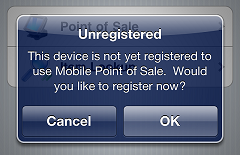
Tap OK on the
 Unregistered prompt.
 -
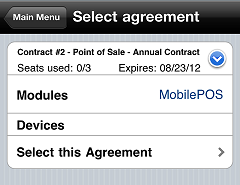
On the
Select agreement screen, tap  for the agreement you want to assign the device to and tap Select this Agreement.
 Each CPMobile device can only be assigned to single agreement. This means that a single CPMobile device can only be used with a single company (i.e., it cannot be used with multiple instances of Counterpoint).
-
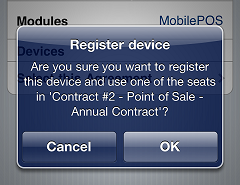
Tap OK on the
Register device prompt to assign the device to an available seat. -
Tap OK to close the Register device prompt.
-
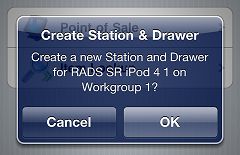
Tap OK on the
Create Station & Drawer prompt to create a new station and drawer for the workgroup you selected when you started CPMobile.